Установите Pane
Используйте команду установки ниже или скачайте приложение для своего компьютера.

Category guide · Orchestration
Swarm, DAG, dispatch, and team-agent tools for breaking coding work into parallel agent tasks.
Pane бесплатный и с открытым кодом (AGPL-3.0). Работает на macOS, Windows и Linux, без аккаунта.
Используйте команду установки ниже или скачайте приложение для своего компьютера.
Добавьте git-репозиторий и выберите агента: Claude Code, Codex или любого другого, который работает в терминале.
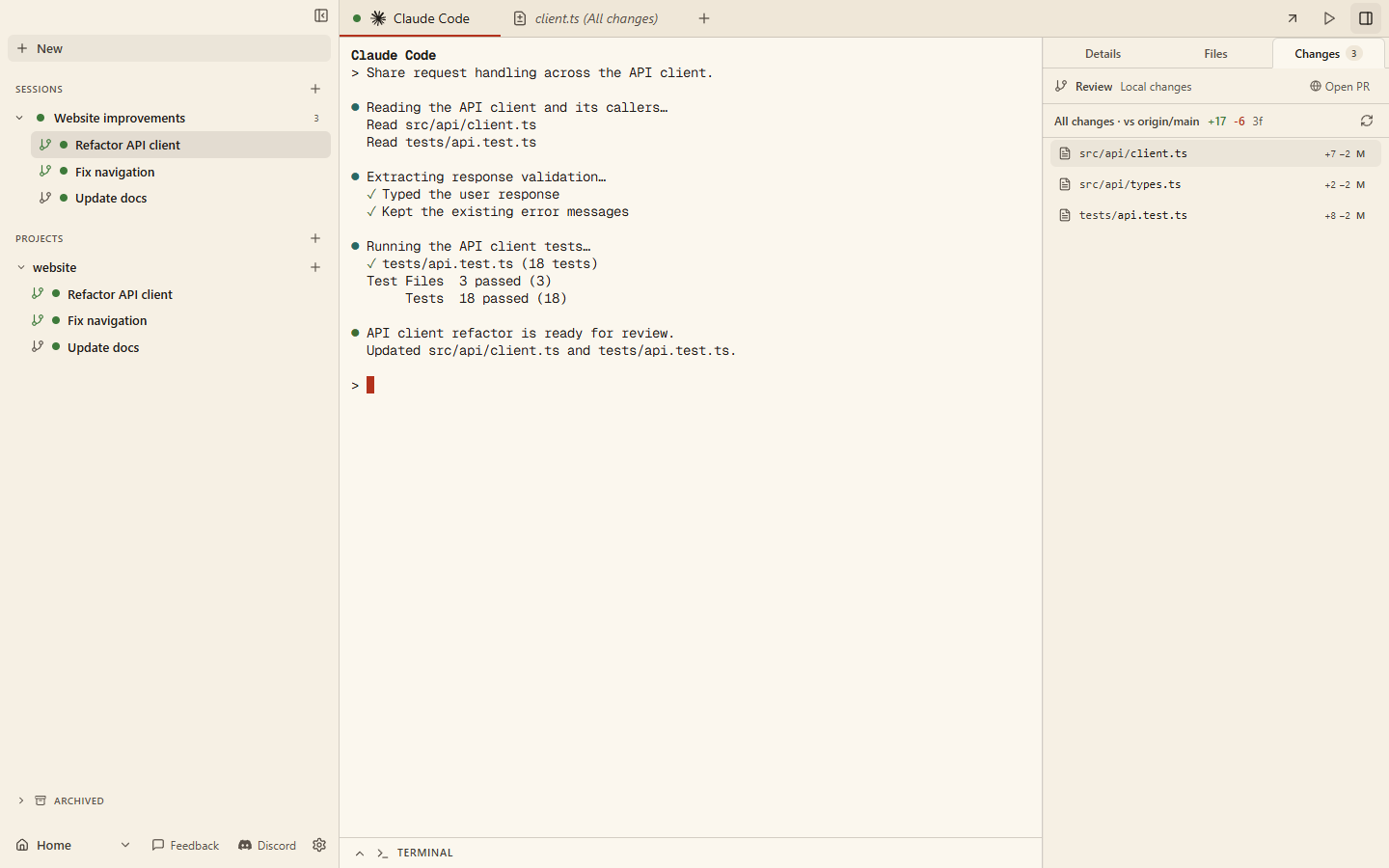
Каждая задача получает свой Pane в своём git worktree. Проверьте diff, затем сделайте коммит или merge.
Orchestration is the step above agent management. A manager runs the agents you choose to start. An orchestrator splits the work, decides which agents to start, watches them and gathers what they did.
In 2026 most orchestration happens through a lead agent: Pane's Sessions, Omnigent's Polly, and the lead agents in Solo and super.engineering. Others use pipelines, like Kandev's task stages and Reliant's YAML workflows, or hosted runners like Clor.
More agents means more diffs to review. Get the local loop working first, then add a lead agent when splitting the work becomes the bottleneck.
Настоящие скриншоты десктопного приложения Pane.
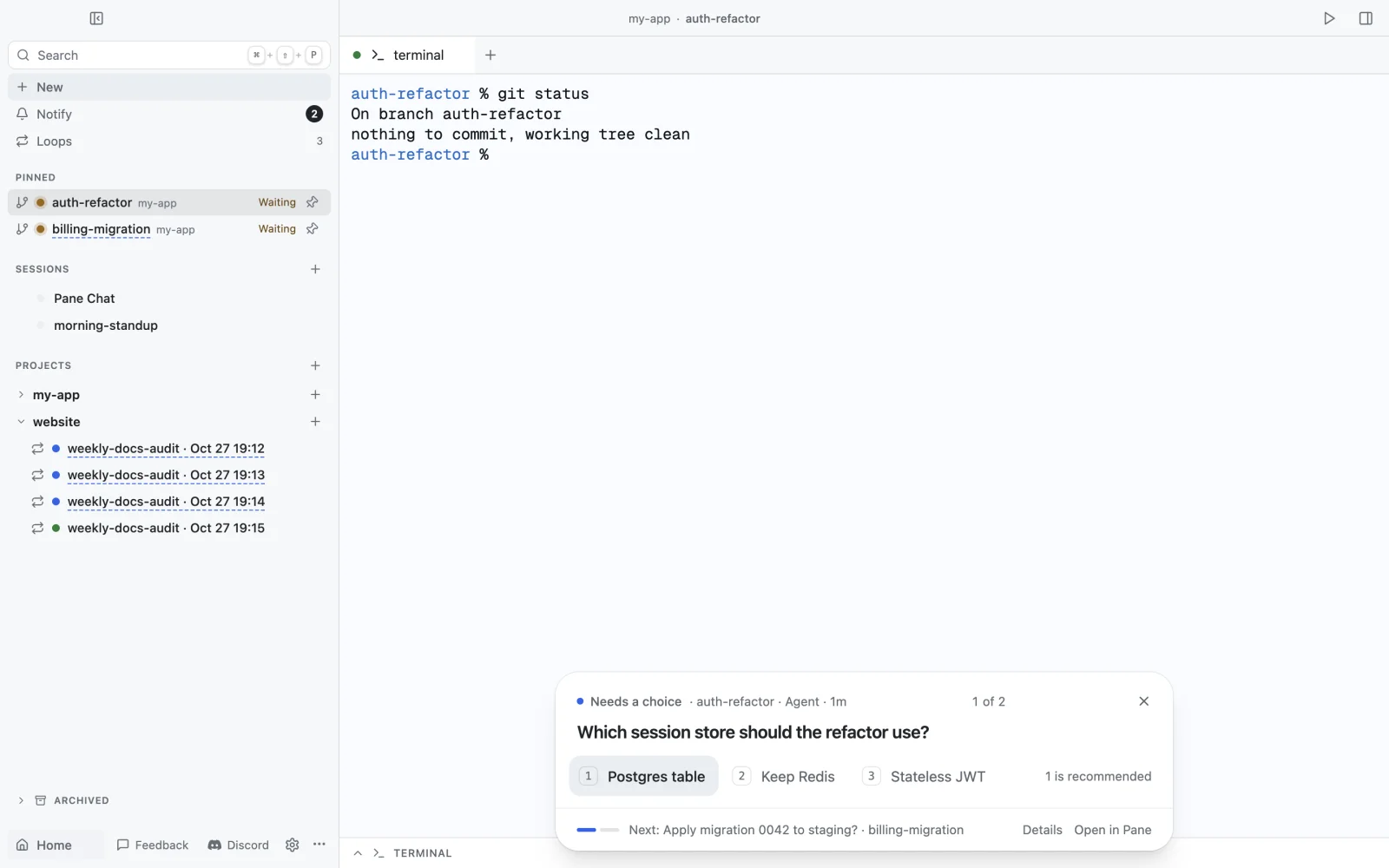
Когда агенту нужен ваш выбор, вопрос появляется поверх работы. Выберите ответ, и агент продолжит. Боковая панель отмечает каждый Pane, который ждёт вас.
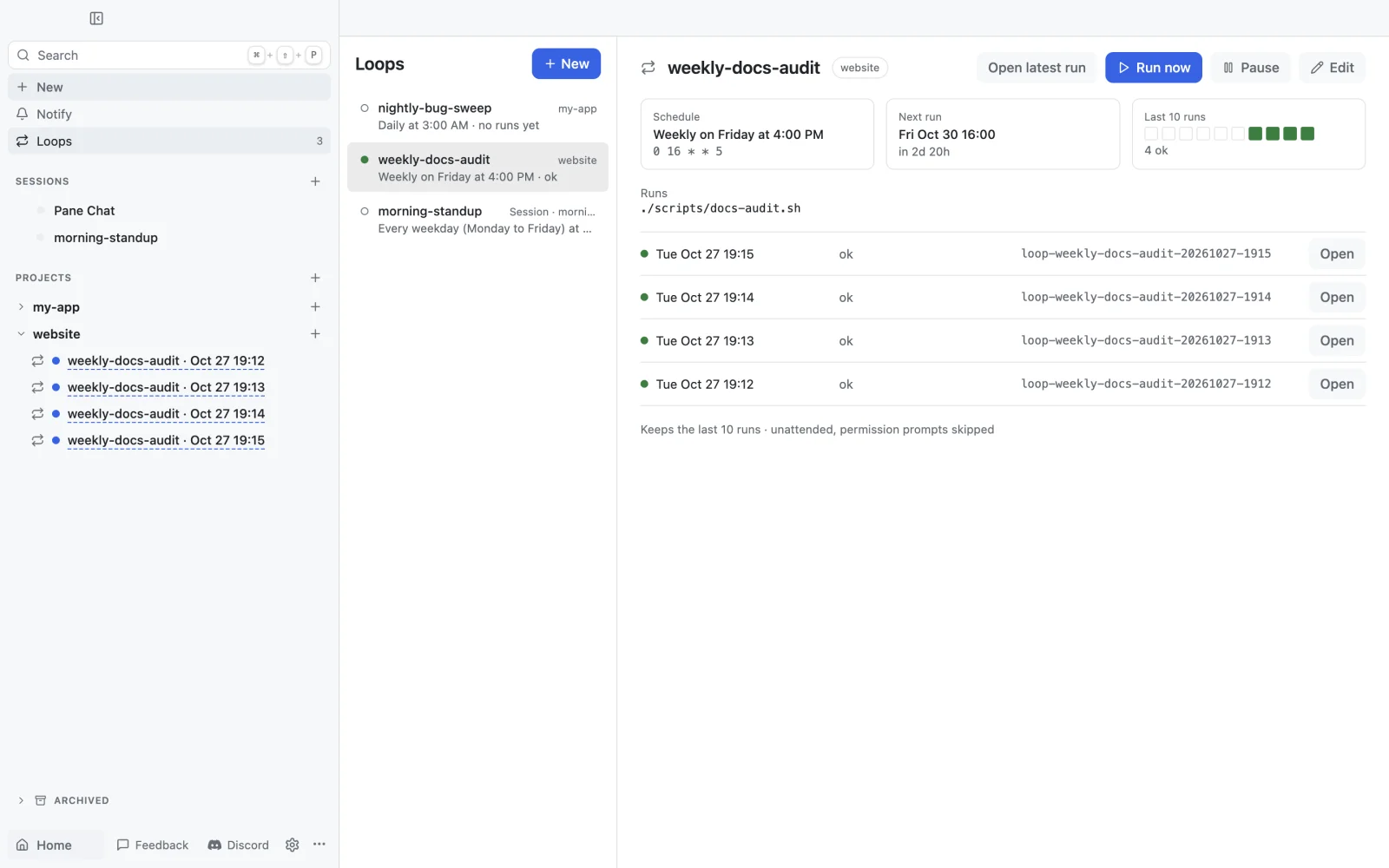
Loops запускают агента в выбранное время, например для еженедельной проверки документации, и сохраняют каждый запуск, чтобы вы могли открыть его позже.
Каждая задача получает свою копию репозитория, git worktree, поэтому агенты никогда не правят одни и те же файлы. Вы проверяете каждую и сливаете то, что нужно.
Each step up hands more decisions to software. Climb only as far as your work needs.
Agent loops are the practical, local version of the third rung: an agent wakes up, checks on work, starts or resumes panes, reads their output, and reports what needs you. Pane's runpane CLI gives Claude Code, Codex and other agents those controls. For the step-by-step version, see how to set up your first AI agent loop.
Four jobs. Merging is the one that breaks most often.
Decomposition. Turn one request, like “rebuild the auth flow”, into subtasks that can run in parallel.
Dispatch. Start an agent for each subtask, locally on its own worktree or remotely in a container.
Supervision. Notice stuck agents, retry, ask a human, or stop them. Some tools model this as a graph of steps that depend on each other.
Merging. Bring the parallel changes back into one branch or pull request.
Lead agents, pipelines and hosted runners. Worktree isolation and review vary a lot between them.
| Tool | Runs on | Worktree per task | Diff review | Many agents | Open source | No account |
|---|---|---|---|---|---|---|
| Panedesktop app · Desktop app with a worktree, real terminal and diff view per agent; runs any CLI agent. | WinMacLinux | ✓ | ✓ | ✓ | ✓ | ✓ |
| Omnigentalphaserver or service · Control layer over other agents, with policies, sandboxes and a lead agent. | WinMacLinux | ~ | ✓ | ~ | ✓ | ✓ |
| Traycerdesktop app · Plan-first app: specs and tickets that agents read, write and hand off. | WinMacLinux | ✓ | ✓ | ~ | ~ | ✕ |
| Agent Orchestratortask board · Kanban of agents that sends failing CI and review comments back to them. | WinMacLinux | ✓ | ✓ | ~ | ✓ | ✓ |
| Kandevtask board · Self-hosted task board where each card moves through plan, build, review and PR. | WinMacLinux | ✓ | ✓ | ~ | ✓ | ✓ |
| Solodesktop app · Runs your dev stack and agents side by side; a lead agent coordinates the rest. Free tier, no account needed. | WinMacLinux | ~ | ✕ | ✓ | ✕ | ✓ |
| super.engineeringalphadesktop app · Native Rust Mac app with worktrees and a lead agent that steers others. | WinMacLinux | ✓ | ✓ | ~ | ✕ | ✓ |
| Maestricanvas app · Infinite canvas where each agent is a terminal card you can wire to others. | WinMacLinux | ~ | ✓ | ✓ | ✕ | ✓ |
| Reliantdesktop app · Its own agent plus YAML workflows that chain agents in loops. | WinMacLinux | ~ | ✓ | ✕ | ~ | ~ |
| HumanLayerserver or service · Team app that runs agents through research, plan and implement steps. | WinMacLinux | ✓ | ✓ | ~ | ✕ | ✕ |
| Clorserver or service · Hosted control plane that runs Claude Code and Codex in Docker containers. | WinMacLinux | ~ | ✓ | ~ | ✕ | ✕ |
Pane
desktop app · Desktop app with a worktree, real terminal and diff view per agent; runs any CLI agent.
Omnigentalpha
server or service · Control layer over other agents, with policies, sandboxes and a lead agent.
desktop app · Plan-first app: specs and tickets that agents read, write and hand off.
task board · Kanban of agents that sends failing CI and review comments back to them.
task board · Self-hosted task board where each card moves through plan, build, review and PR.
desktop app · Runs your dev stack and agents side by side; a lead agent coordinates the rest. Free tier, no account needed.
super.engineeringalpha
desktop app · Native Rust Mac app with worktrees and a lead agent that steers others.
canvas app · Infinite canvas where each agent is a terminal card you can wire to others.
desktop app · Its own agent plus YAML workflows that chain agents in loops.
server or service · Team app that runs agents through research, plan and implement steps.
server or service · Hosted control plane that runs Claude Code and Codex in Docker containers.
Omnigent's Polly hands work to other vendors' agents and has a different vendor review each result. Traycer has agents plan together as specs and tickets. Agent Orchestrator sends failing CI runs and review comments back to the agent that wrote the code. Maestri lets you drag a line between two agents so they can message each other. HumanLayer turns a research, plan, implement process into software for teams.
Not tested hands-on yet. Each repo was checked in October 2026.
Short descriptions come from each project's own page; we haven't rated them.
Where the agents run decides how you isolate them, review them and pay for them.
| Local | Cloud | |
|---|---|---|
| Runs on | your machine | someone else's machines |
| Isolation | a worktree per agent | a container or VM per agent |
| You review | a diff, as it happens | a pull request or preview |
| Cost | your existing subscriptions | usually per task, hour or seat on top |
Orchestration multiplies your output and your review work at the same rate.
Four agents in parallel produce four diffs you have to read. If review is your bottleneck, and it usually is, orchestration moves it rather than removing it. The classic mistake is reaching for a swarm before the local loop of prompt, diff and merge works. See desktop agent managers for that layer.
Splitting one piece of work across several agents and coordinating them: deciding the subtasks, starting the agents, watching them, and pulling their results back together.
An agent manager runs the agents you decide to start, each on its own branch, and helps you review them. An orchestrator decides which agents to start in the first place. Some tools, Pane included, do both.
Yes. A Pane Session is a chat with Claude Code, Codex or Cursor that runs your other agents. It splits up work, starts panes, watches them, collects their reports and tracks their pull requests. You stay in charge of what ships.
Yes. Any orchestrator that starts CLI agents or terminal commands can run them in Pane, and agents can drive Pane directly through the runpane CLI or Pane's MCP server.
When splitting and dispatching work is your bottleneck: one job that breaks into many independent pieces, or batches you want to run overnight without watching each terminal.
When you run two or three agents and can read their diffs yourself. An agent manager is enough at that size, and an orchestrator only adds another layer to debug.
Large diffs nobody has read. More agents produce more changes, and unless someone reviews each one, mistakes ship together and are harder to untangle.
Most local ones do. Pane, Omnigent's lead agent, Traycer, Agent Orchestrator and Kandev give each agent its own worktree. Clor uses a Docker container per task instead, and Solo doesn't isolate agents at all.
Start with an agent manager and get the loop of prompt, diff and merge working. Add a lead agent once splitting up the work is what slows you down.
Teams often add shared process on top: HumanLayer's research, plan and implement steps, Kandev's review stages, or Omnigent's policies and spend caps. Each person still needs a good local loop for running and reviewing agents.
Some are, since Pane Sessions coordinate agents too. Others work alongside it: they decide the work, and Pane gives the agents a terminal, a worktree and a diff view.
Do you need a boss for your agents, a cockpit for the agents you already run, or both in one app?