
Two things kept pulling me back to my terminals. Jobs I wanted done every night, and agents stuck on a question I didn't know they'd asked. Pane now handles both. Loops starts your agents on a schedule. Notify lets them ask you something without you hunting for the terminal. Both are in Pane 2.4.204 and later.
Loops: a nightly bug sweep
Here's the one I run. Every night at 3, Claude picks one bug from yesterday's issues, fixes it on its own branch and opens a PR. In the morning I open the run, read the diff and merge.
runpane loops create --repo active --name nightly-bug-sweep \
  --cron "0 3 * * *" --agent claude \
  --prompt "Pick one bug from yesterday's issues, fix it, and open a PR." --yes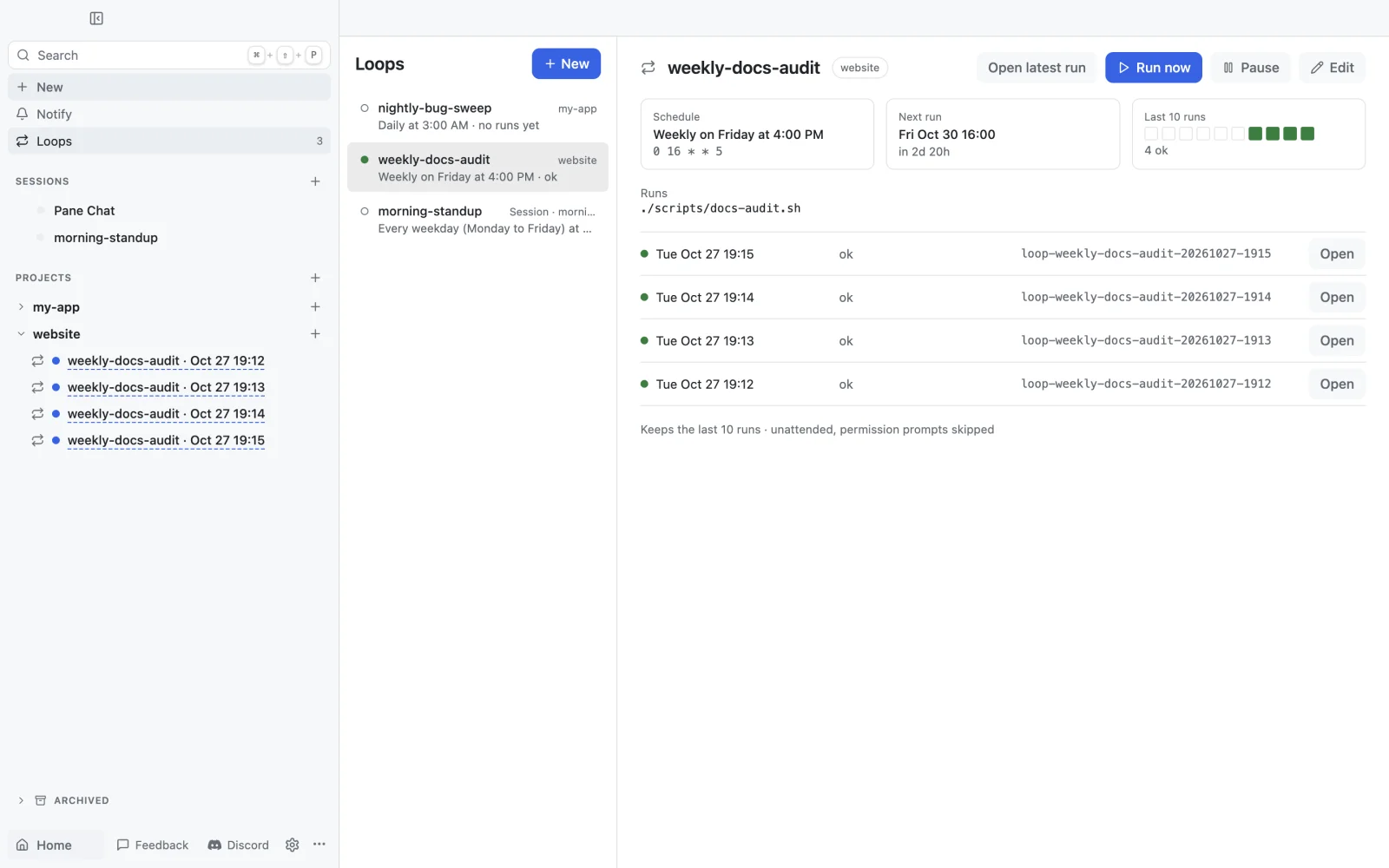
- → Any agent or a command. Claude Code, Codex, Cursor, or something like
./scripts/nightly-report.sh. - → A new Pane each run, or one Session. A project loop gets a fresh worktree and branch per run. A Session loop sends its prompt to that Session's agent, which suits a morning summary across all your projects.
- → At most once an hour. Loops are for big jobs: a nightly sweep, a weekly docs audit, a Monday dependency check.
- → Unattended. Runs skip permission prompts, so write the prompt like you'd brief someone working alone.
Pane has to be running for a loop to fire. A run up to 15 minutes late still starts, say after your laptop wakes up. Later than that, it's skipped, not caught up. If you want loops to run while your laptop sleeps, put Pane on an always-on machine and reach it with Remote Pane.
Notify: an agent asks mid-task
Say Claude is refactoring auth in a Pane you can't see, and it hits a real decision: move sessions to Postgres, or keep Redis? Before, it either guessed or waited in a terminal I wasn't looking at. Now it asks through Pane. A card slides up over whatever app I'm in. I press 1, and Claude keeps going.
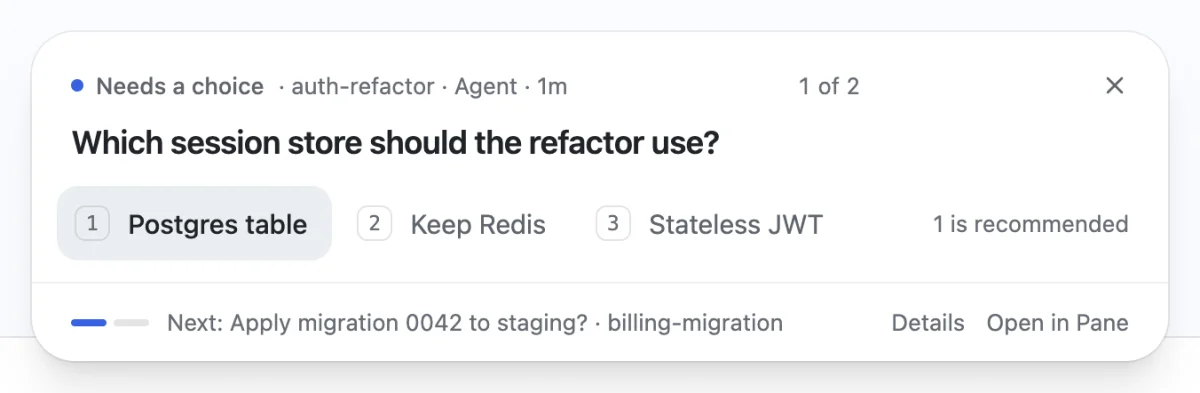
- → Four kinds of card. A choice, an approval, a typed answer, or a one-line update.
- → Keyboard first. Press Ctrl+Shift+Space (⌃⇧Space on a Mac) from any app and work through what's waiting.
- → Not now? Click ✕ and the question waits in the Notify inbox. The agent keeps waiting too.
- → Nothing to set up. Pane adds its MCP server to Claude Code, Codex and Cursor and tells them to ask through Notify.
- → Any screen. From Pane 2.4.205, every Pane desktop connected to the agent's machine shows its questions, and the Pane app on your phone gets an alert you can answer.
The two work well together. A nightly loop that hits a question doesn't have to guess. It asks, and the card is waiting when you sit down.
See Pane Loops and Pane Notify, or read the Loops docs and the Notify docs.