Installez Pane
Utilisez la commande d'installation ci-dessous, ou téléchargez l'app pour votre ordinateur.
Platform guide · macOS
Most agent managers start on the Mac. Compare 25 of them by app type, Apple Silicon and Intel support, and whether they also run on Windows and Linux.
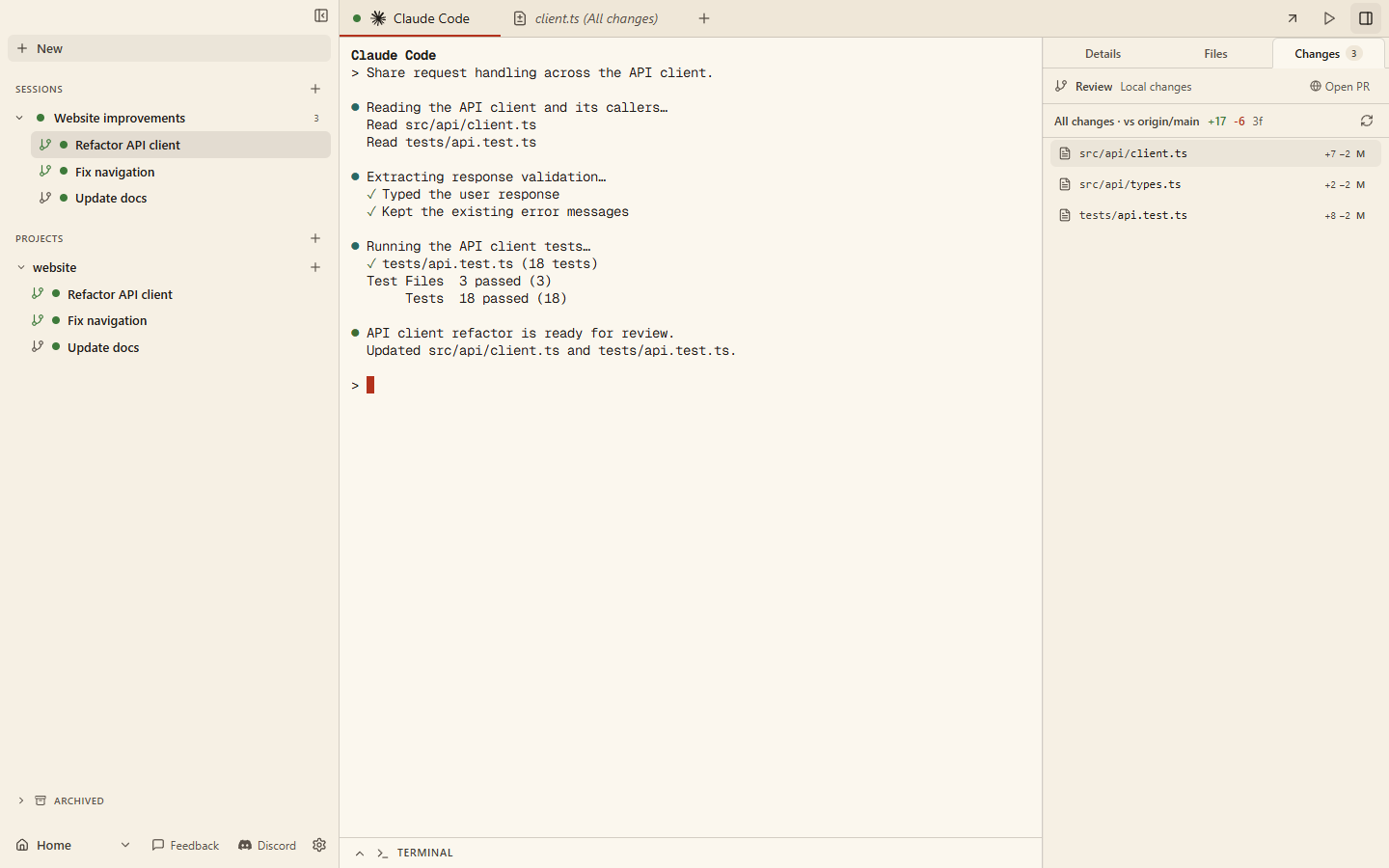
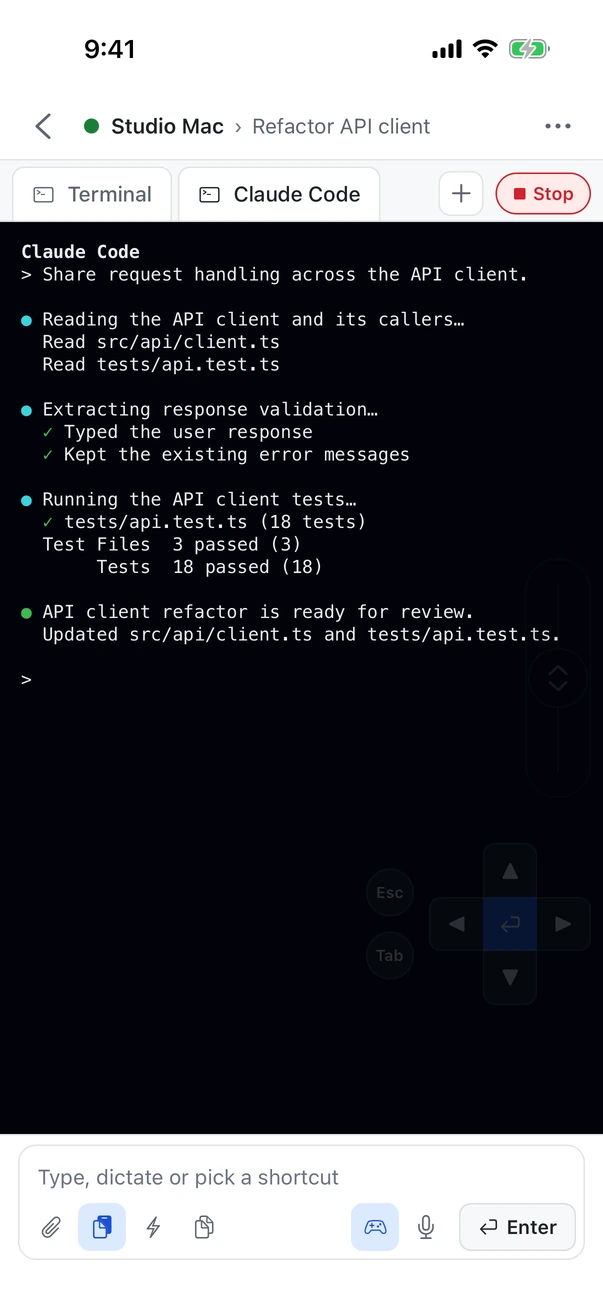
Pane est gratuit et open source (AGPL-3.0). Il fonctionne sur macOS, Windows et Linux, sans compte.
Utilisez la commande d'installation ci-dessous, ou téléchargez l'app pour votre ordinateur.
Ajoutez un dépôt git et choisissez votre agent : Claude Code, Codex ou tout autre agent qui tourne dans un terminal.
Chaque tâche a son propre Pane sur son propre worktree git. Relisez le diff, puis faites un commit ou un merge.
The Mac has the most choice, because most agent managers are built on Apple Silicon first. That means the question isn't whether a tool runs, but which kind you want.
Mac-first apps like Conductor and Paradev (formerly Superset) are polished, but they're Mac-only or close to it, and some need an account. Cross-platform apps like Pane, Orca and Emdash run the same on Windows and Linux. Terminal tools like Herdr and Claude Squad suit people who already live in tmux.
Pane ships signed builds for Apple Silicon and Intel, runs any CLI agent, and needs no account.
De vraies captures de l'app de bureau Pane.
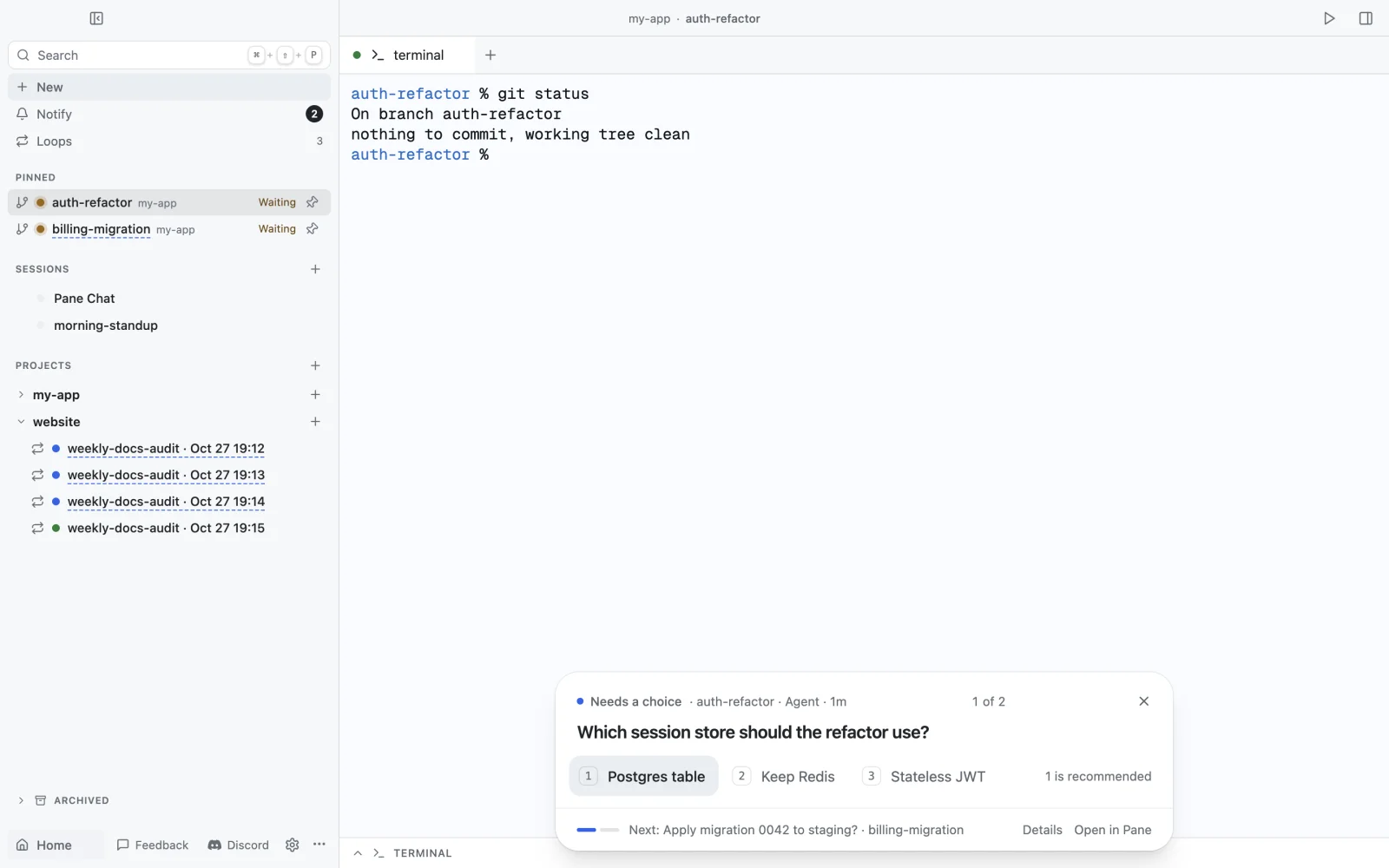
Quand un agent a besoin d'un choix, la question s'affiche par-dessus votre travail. Choisissez une réponse et l'agent continue. La barre latérale signale chaque Pane qui vous attend.
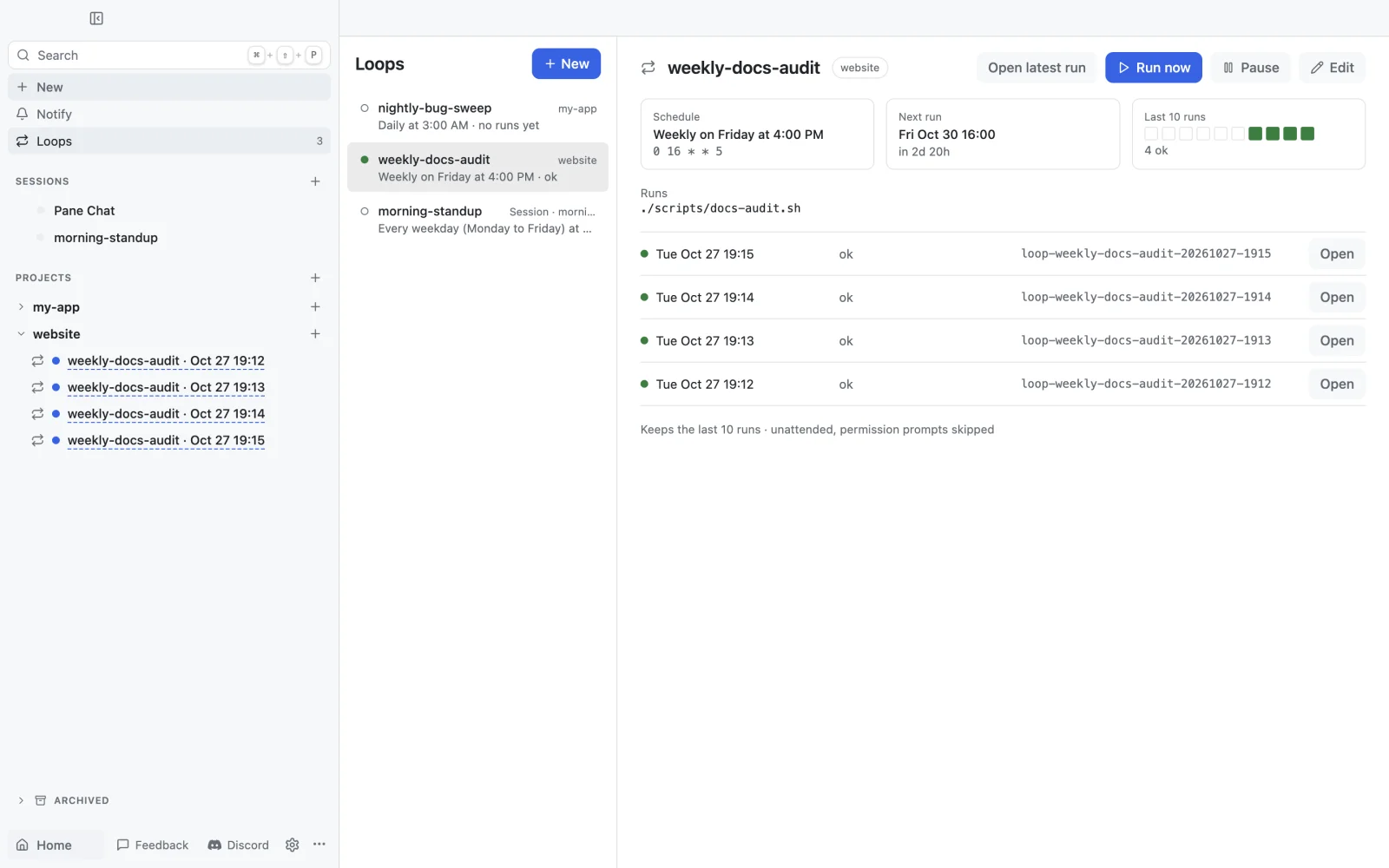
Les Loops lancent un agent aux heures que vous choisissez, par exemple un audit hebdomadaire de la doc, et gardent chaque exécution pour que vous puissiez l'ouvrir plus tard.
Chaque tâche a sa propre copie de votre dépôt, appelée worktree git, pour que les agents ne modifient jamais les mêmes fichiers. Vous relisez chacune et mergez ce que vous voulez.
Nearly everything runs on a Mac. The other columns tell you whether your setup carries over to other machines.
| Tool | Windows | WSL repos | macOS | Linux | On macOS |
|---|---|---|---|---|---|
| Pane | yes | yes | yes | yes | Signed and notarized, Apple Silicon and Intel. |
| Orca | yes | yes | yes | yes | Signed and notarized, Apple Silicon and Intel. |
| T3 Code | yes | partly | yes | yes | Apple Silicon and Intel; iOS and Android apps. |
| Paseo | yes | no | yes | yes | macOS 13 or newer; iOS and Android apps. |
| Emdash | yes | no | yes | yes | Apple Silicon and Intel. |
| Maestri | yes | yes | yes | yes | Native Swift app, macOS 15.4 or newer. |
| Kandev | yes | partly | yes | yes | Apple Silicon and Intel. |
| Traycer | yes | partly | yes | yes | Signed and notarized, macOS 12 or newer. |
| Agent Orchestrator | yes | no | yes | yes | Apple Silicon and Intel. |
| Reliant | yes | no | yes | yes | Notarized, Apple Silicon and Intel. |
| Tool | Windows | WSL repos | macOS | Linux | On macOS |
|---|---|---|---|---|---|
| Conductor | no | no | yes | no | Apple Silicon and Intel. Closed source; paid cloud and team plans. |
| Paradev (formerly Superset) | no | no | yes | partly | Its main platform. Needs an account. |
| cmux | no | no | yes | no | Native Swift terminal on Ghostty's engine; no worktrees. |
| super.engineering | no | no | yes | partly | Apple Silicon and Intel, macOS 14 or newer. |
| Agentastic | no | no | yes | no | Apple Silicon and Intel, macOS 14 or newer. |
| Solo | yes | yes | yes | yes | Mac app. |
| HumanLayer | partly | partly | partly | partly | Desktop app for Apple Silicon only. |
| Silo | partly | no | yes | partly | Signed and notarized. |
Apple Silicon and Intel. Closed source; paid cloud and team plans.
Its main platform. Needs an account.
| Tool | Windows | WSL repos | macOS | Linux | On macOS |
|---|---|---|---|---|---|
| Herdr | yes | yes | yes | yes | A single binary for Apple Silicon and Intel. |
| Claude Squad | no | partly | yes | yes | Homebrew; needs tmux and gh. |
| Sidecar | no | yes | yes | yes | Apple Silicon and Intel tarballs. |
| claude-tmux | no | partly | yes | yes | Build from source with cargo. |
| recon | no | partly | yes | yes | Build from source with cargo. |
| Clor | partly | yes | yes | yes | Mac app and CLI. |
| Omnigent | partly | yes | yes | yes | Desktop app plus server. |
Checked October 2026. Versions change fast; tell us if something here is out of date.
On a Mac, the choice is about workflow, not compatibility.
Mac-first apps such as Conductor, Paradev, cmux, super.engineering and Agentastic are built around macOS. Some are native Swift apps and feel at home there. The trade-off is that your setup stays on the Mac, and if your team also uses Windows or Linux, they can't share it.
Cross-platform desktop apps such as Pane, Orca, T3 Code, Paseo and Emdash give each agent its own git worktree, a diff viewer and git buttons, and work the same on all three systems.
Terminal tools such as Herdr, Claude Squad and Sidecar run inside your terminal. They're light and work over SSH, but you read changes as text and manage panes with keyboard shortcuts.
Every tool here runs on Apple Silicon. Intel Macs have fewer options.
Pane, Orca, T3 Code, Emdash, Conductor, Traycer, Reliant, Kandev, super.engineering and Agentastic ship Intel builds. Ghostex and Waku are Apple Silicon only. HumanLayer's desktop app is Apple Silicon only, and bb offers npx instead of its app on Intel.
Maestri is a native Swift app that needs macOS 15.4 or newer. super.engineering and Agentastic need macOS 14, and Paseo needs macOS 13.
Check whether a tool needs its own sign-in before you build a habit around it.
Conductor and Paradev both ask you to sign in to their own account before you start. Conductor is closed source, with paid cloud and team plans. Pane and Paseo open straight to work with no account, as do the terminal tools. Orca and T3 Code only ask for one when you pair a phone, while Pane pairs a phone with a QR code and no account. Emdash opens on a screen asking you to connect GitHub. You still sign in to the agent CLIs themselves, like Claude Code or Codex.
Pick by how many agents you use and whether you ever leave the Mac.
It depends on how you work. If you only use Claude Code and only use a Mac, Conductor and Paradev are polished Mac-first apps. If you switch between agents like Claude Code, Codex and OpenCode, or also work on Windows or Linux, Pane runs any CLI agent and works the same on all three. If you'd rather stay in a terminal, Herdr and Claude Squad are good fits.
Pane, Orca, T3 Code, Emdash, Conductor, Traycer, Reliant, Kandev, super.engineering and Agentastic ship Intel builds. Ghostex, Waku and HumanLayer's desktop app are Apple Silicon only, and bb's Mac app is Apple Silicon only, with npx on Intel.
No. Pane ships a signed, notarized DMG for Apple Silicon and one for Intel. Drag it to Applications and open it. Claude Squad and some other terminal tools use Homebrew, and they need tmux.
Some do. Conductor and Paradev both ask you to sign in to their own account. Pane, Paseo and the terminal tools open straight to work with no account. Orca and T3 Code only need one to pair a phone. Pane pairs a phone with a QR code, still with no account. In every case you still sign in to the agent CLIs you already use.