Pane installieren
Nutze den Installationsbefehl unten oder lade die App für deinen Rechner herunter.

Guide · Windows
Set up Claude Code, Codex, Aider, and other AI coding agents on Windows from scratch. Covers git, Node.js, WSL, agent installation, and running multiple agents in parallel with Pane.
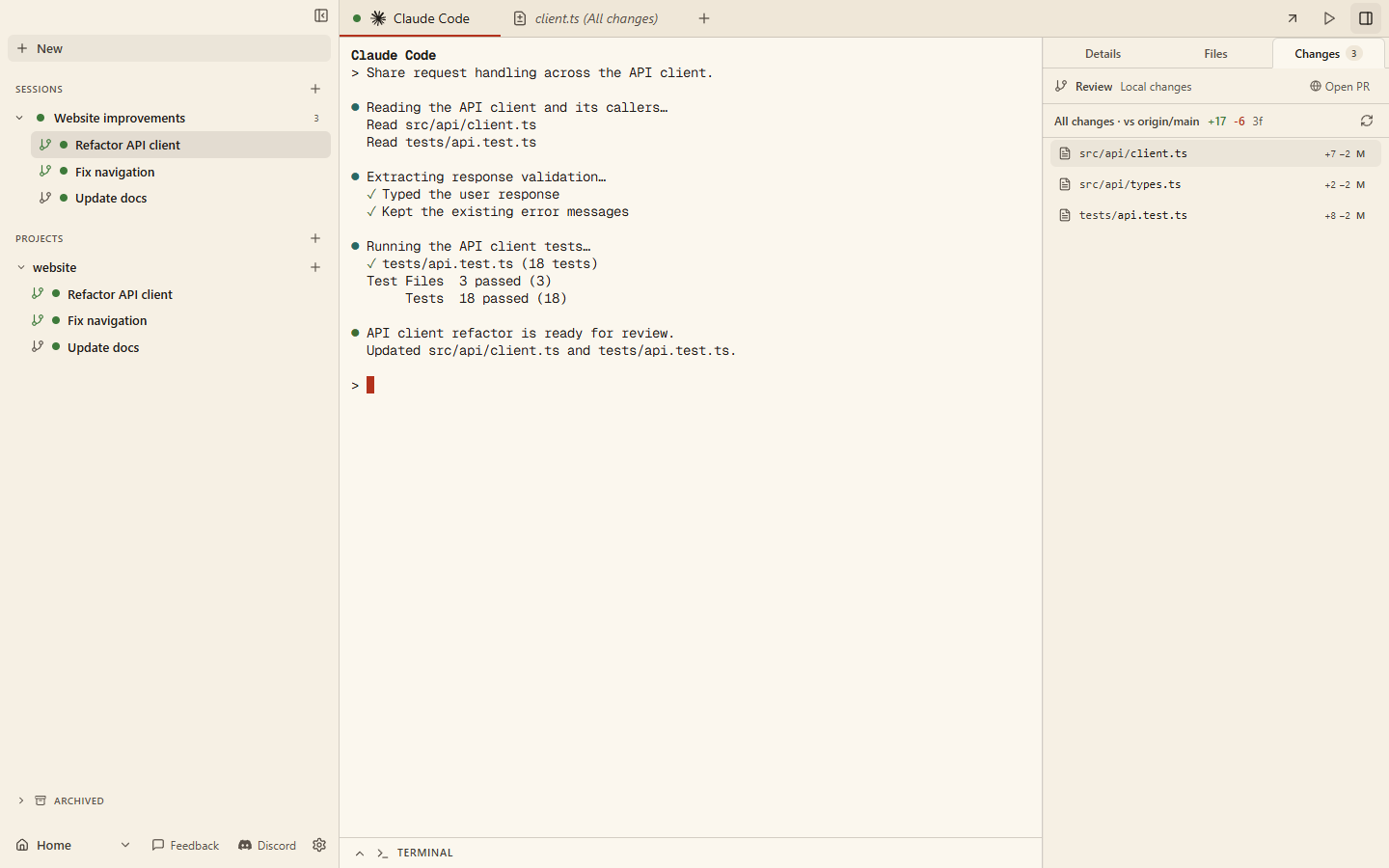
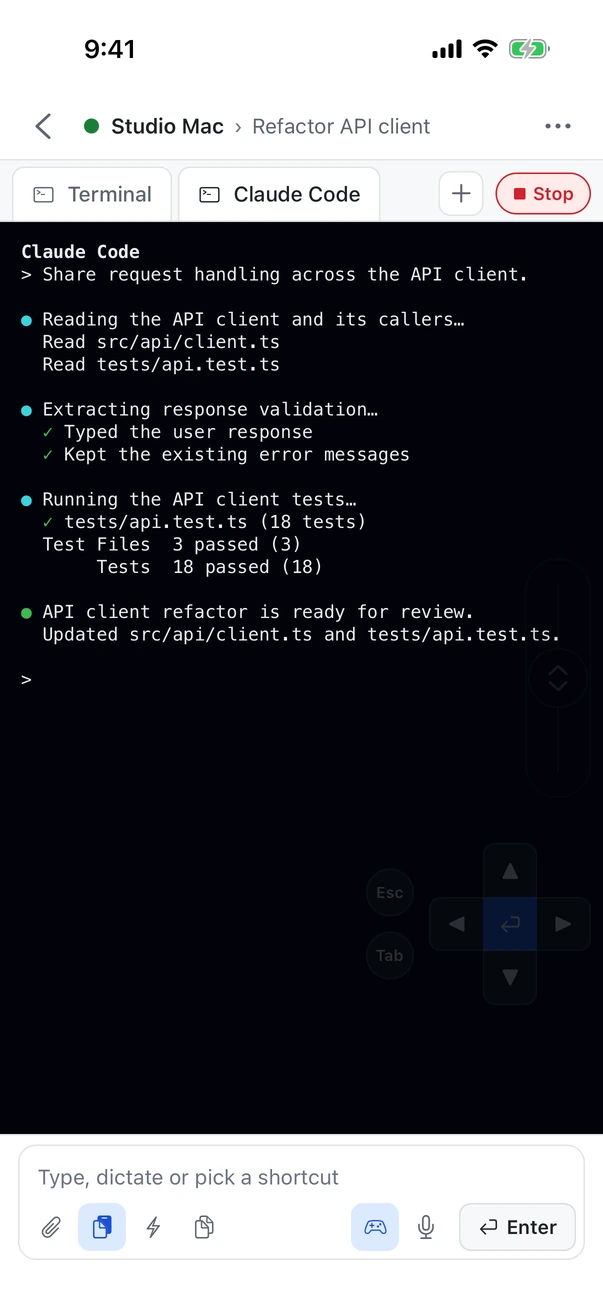
Pane ist kostenlos und Open Source (AGPL-3.0). Es läuft auf macOS, Windows und Linux, ohne Konto.
Nutze den Installationsbefehl unten oder lade die App für deinen Rechner herunter.
Füge ein Git-Repo hinzu und wähle deinen Agenten: Claude Code, Codex oder jeden anderen Agenten, der im Terminal läuft.
Jede Aufgabe bekommt ein eigenes Pane in einem eigenen Git-Worktree. Prüfe den Diff, dann committe oder merge.
To run AI coding agents on Windows you need git (and Node.js or Python for some agents), then the agents themselves, like Claude Code or Codex. Keep projects that build natively on Windows in Windows, and put Linux-toolchain projects inside WSL, where file access is fast. Pane runs agents for both kinds of repo from one Windows app and gives every task its own worktree. This guide goes from a fresh machine to several agents running side by side.
Echte Screenshots aus der Pane-Desktop-App.
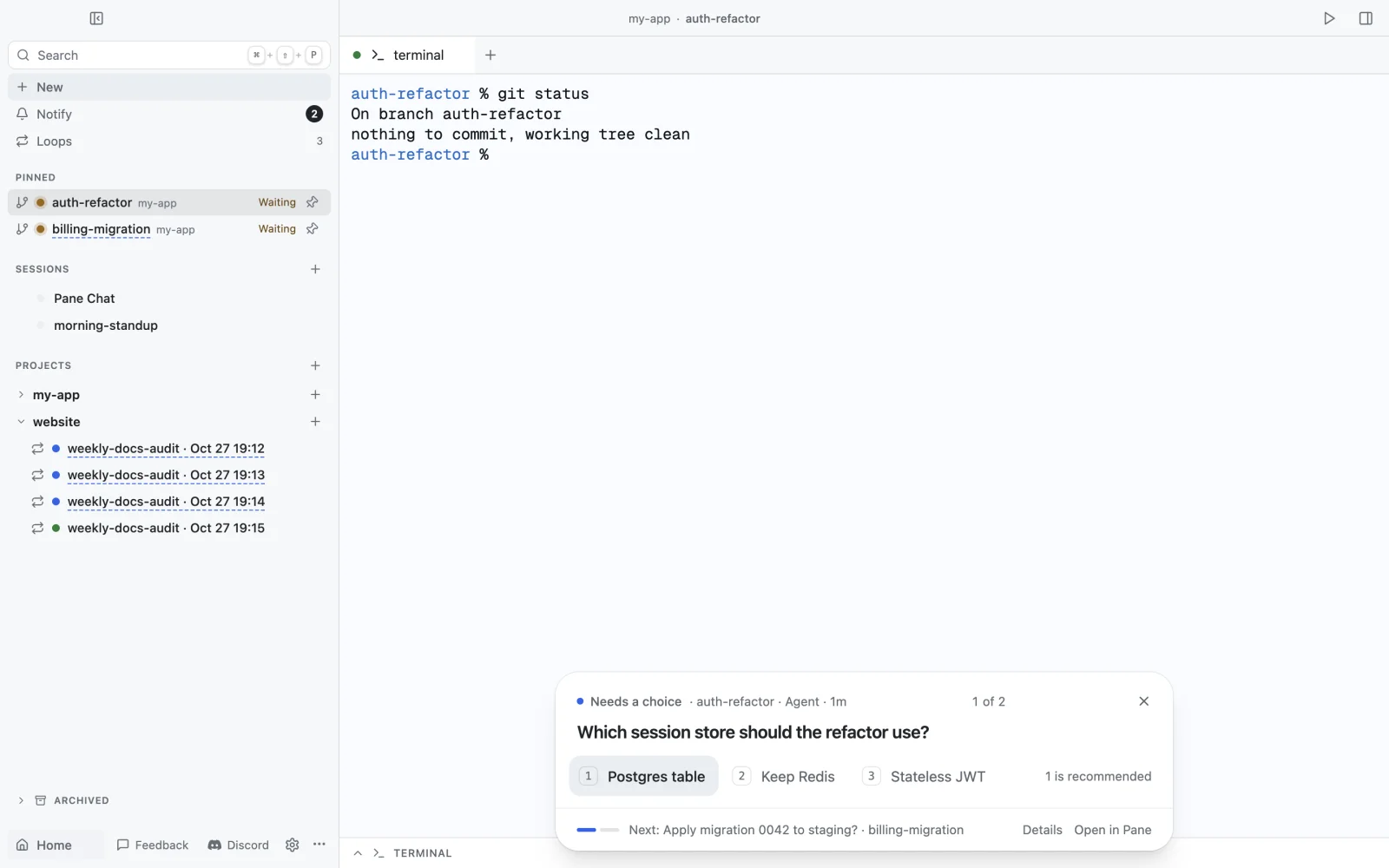
Braucht ein Agent eine Entscheidung, erscheint die Frage über deiner Arbeit. Wähle eine Antwort, und der Agent macht weiter. Die Seitenleiste markiert jedes Pane, das auf dich wartet.
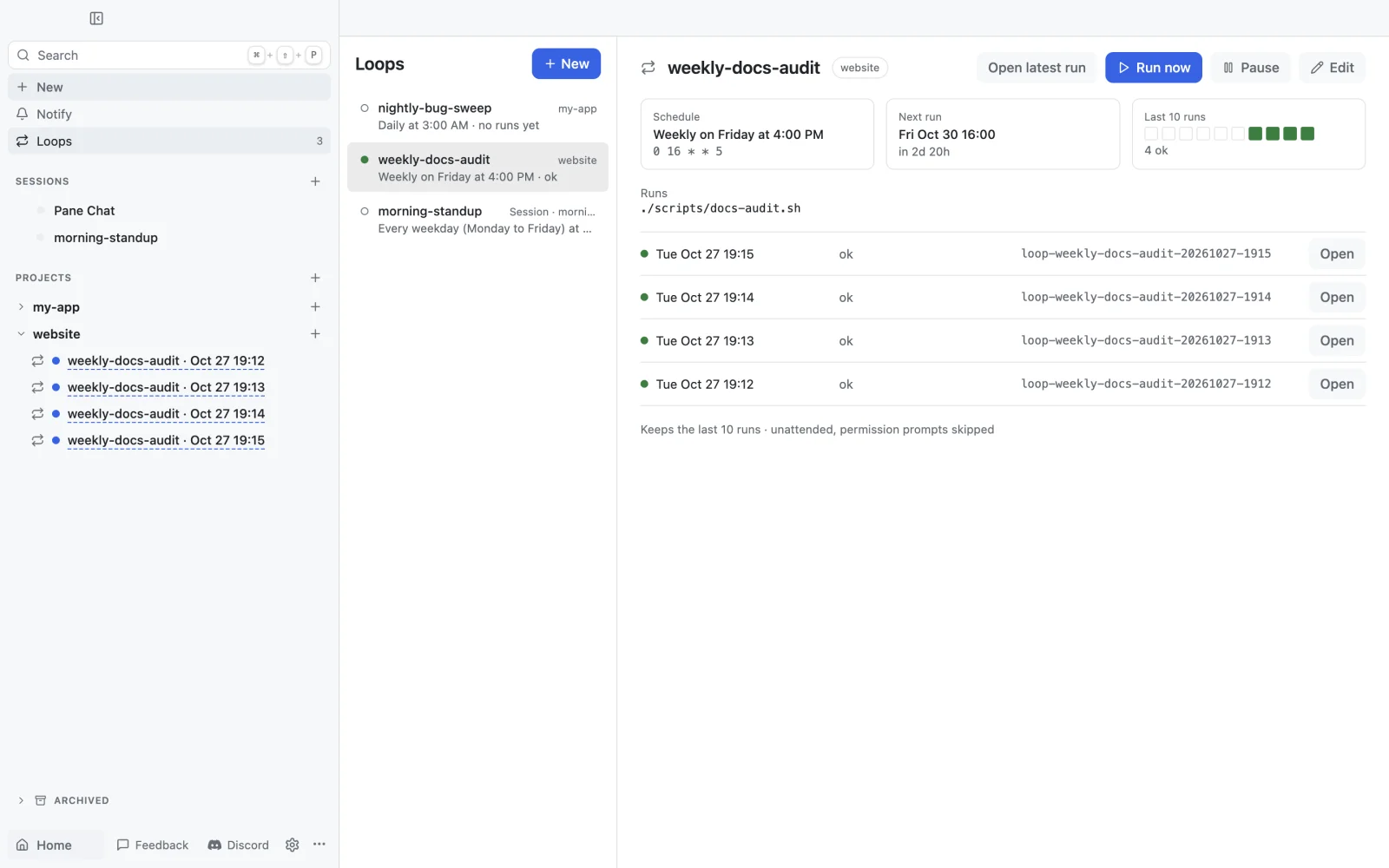
Loops starten einen Agenten zu den Zeiten, die du festlegst, etwa für eine wöchentliche Doku-Prüfung, und behalten jeden Lauf, damit du ihn später öffnen kannst.
Jede Aufgabe bekommt eine eigene Kopie deines Repos, einen Git-Worktree. So bearbeiten Agenten nie dieselben Dateien. Du prüfst jede Aufgabe und mergst, was du willst.
This guide takes you from a fresh Windows machine to several AI coding agents running in parallel: prerequisites, the native-or-WSL choice, installing agents, and running them with Pane. If you already have git and Node.js, skip to installing agents.
Git for everything; Node.js for Codex and npm installs; Python for Aider.
Git
Download it from git-scm.com or install with WinGet. Keep the default that makes git available from PowerShell. Git for Windows also gives Claude Code a Bash shell to work in.
winget install --id Git.Git -e --source wingetNode.js
Codex, OpenCode and other npm-installed agents need Node.js. Install the LTS version from nodejs.org or with WinGet, then check it with node --version in a new terminal.
winget install --id OpenJS.NodeJS.LTS -ePython (optional)
Aider and a few other agents run on Python. Tick “Add Python to PATH” during installation.
winget install --id Python.Python.3.12 -eKeep each repo on the side where its tools run; Pane handles both.
WSL gives you a real Linux environment inside Windows. Both work with agents; pick per project.
| Native Windows | WSL | |
|---|---|---|
| Best for | .NET, Unity, PowerShell, anything that builds on Windows | Docker, bash-heavy projects, Linux-only toolchains |
| File speed | Fast for Windows paths | Fast inside the Linux filesystem; slow across the boundary |
| In Pane | Agents run in Git Bash, PowerShell or cmd | Agents, terminals and git run inside the distro |
If you're unsure, start native; you can add WSL later. To install it:
wsl --installInstall only the agents you'll use, then open a new terminal.
Claude Code
Anthropic's agent. Works with a Claude Pro or Max plan or an API key. See Claude Code in Pane.
irm https://claude.ai/install.ps1 | iex
# or: winget install Anthropic.ClaudeCode
claude
Codex
OpenAI's agent. Sign in with ChatGPT the first time you run it. See Codex in Pane.
npm install -g @openai/codex
codex
Aider
Open source pair programmer for almost any model. See Aider in Pane.
python -m pip install aider-install
aider-install
aider
OpenCode
Open source terminal agent for many providers. See OpenCode in Pane.
scoop install opencode
# or: npm i -g opencode-ai@latest
opencode
Run each command in a new terminal to check it works. “Not recognized as a command” usually means the terminal predates the PATH change; open a new one.
One PowerShell line, or a guided setup through npx.
Pane is where your agents live: it handles worktrees, terminals, diffs and git. Install it with PowerShell:
irm https://runpane.com/install.ps1 | iexOr use the guided setup, which also offers remote and headless options:
npx --yes runpane@latestThe installer picks the x64 or ARM64 build for your machine. The first time you run it, Windows SmartScreen may ask you to confirm; choose “More info”, then “Run anyway”.
Two panes, two agents, two branches.
Add your repo, then create two panes with Ctrl+N, one per task:
Each pane has its own worktree and terminal. Move between them with Ctrl+Tab, review a pane's diff with Ctrl+Shift+B, and commit with Ctrl+Shift+K. When a task is done, archive the pane with Ctrl+Shift+W; Pane removes its worktree after checking nothing is left unsaved. More in how to run multiple AI agents in parallel.
PATH, long paths, ports and the WSL boundary cause most problems.
"claude is not recognized as a cmdlet"
Open a new terminal first. If you installed with npm, run npm config get prefix and add that folder to your PATH. claude doctor checks the install.
Long path errors
Windows limits paths to 260 characters by default, which deep node_modules folders can hit. Turn long paths on in git:
git config --system core.longpaths trueAnd in Windows, under Settings, System, For developers, Enable long paths, or with:
reg add "HKLM\SYSTEM\CurrentControlSet\Control\FileSystem" /v LongPathsEnabled /t REG_DWORD /d 1 /fDev servers fighting over a port
Several worktrees running dev servers all want port 3000. Pane gives each pane its own block of ten ports in PANE_PORT; have your dev server read it. Without Pane, set the port yourself, for example PORT=3001 npm run dev.
Slow git across the WSL boundary
If a repo lives in WSL, run git from inside WSL. Reaching Linux files from Windows, or the other way round, is slow. Pane runs git inside the distro for WSL repos; in your own terminals, stay on one side.
Yes. Claude Code runs natively on Windows; install it with Anthropic's PowerShell installer or WinGet. Git for Windows is optional but recommended, because Claude Code then uses Git Bash for its shell tool. WSL is only needed for Linux toolchains.
Use native Windows if your project builds and runs on Windows. Use WSL if it needs Linux tools such as Docker, bash scripts or Linux-only dependencies. Pane handles both from one Windows app, and runs agents inside the distro for repos you keep in WSL.
Yes. Pane ships separate builds for Windows x64 and Windows ARM64, such as Snapdragon laptops.
Run npm install -g @openai/codex, then codex. The first time, sign in with ChatGPT or another sign-in method.
Run python -m pip install aider-install, then aider-install. You need Python and an API key for your model provider.
Yes. The hard part is keeping their terminals, branches and folders apart. Pane gives each agent its own worktree and terminal in one app.
Open a new terminal so PATH changes take effect. If you installed with npm, run npm config get prefix and add that folder to your PATH. Running claude doctor helps diagnose install problems.
No. tmux doesn't run natively on Windows, so tools that need it, like Claude Squad, need WSL. Pane has its own terminals and doesn't need tmux.
Add the repo by its WSL path, such as \\wsl.localhost\Ubuntu\home\you\project. Pane runs the agents, terminals and git inside the distro and keeps worktrees on the Linux filesystem.